
Order volume outruns the sheet
Orders arrive on WhatsApp, calls and from salesmen in the field. By the time they reach a spreadsheet, one has been missed, one has been billed twice, and nobody is sure which went out.
Dozens of orders a day on WhatsApp, a stock sheet updated when someone remembers, party-wise outstanding in the accountant’s head, and three suppliers waiting on payment. BOOM puts orders, stock, customer dues and supplier payables in one system your whole team works from — on your server, for one payment.
BOOM by YNIIDI is self-hosted distribution management software for Indian wholesalers and distributors. It tracks every order from placement to payment, keeps stock live with low-stock alerts, records party-wise customer dues and partial payments, links supplier bills to pending payables, gives retailers a portal to see their own orders and dues, and shows margin per product. It is customized to your workflow, sold as a one-time license with no per-seat fees, and runs alongside — not instead of — your GST accounting software.
None of these is one dramatic failure. Each is a small loss that repeats every week.
Orders arrive on WhatsApp, calls and from salesmen in the field. By the time they reach a spreadsheet, one has been missed, one has been billed twice, and nobody is sure which went out.
Credit is how wholesale sells. When outstanding per party is worked out only at month-end, you keep supplying the retailer who is already sixty days behind.
Several suppliers, part payments, bills that don’t match the goods received. “What do we owe them?” becomes a phone call instead of a lookup.
The sales team promises stock the godown doesn’t have, or the godown sits on stock sales doesn’t know about. Either way, someone quotes from yesterday’s number.
“Has my order gone?” “What’s my balance?” Every one of those calls pulls a staff member off billing or dispatch.
On a thin wholesale margin, one wrongly priced product line wipes out the profit on several others — and without cost next to revenue, you won’t see which one.
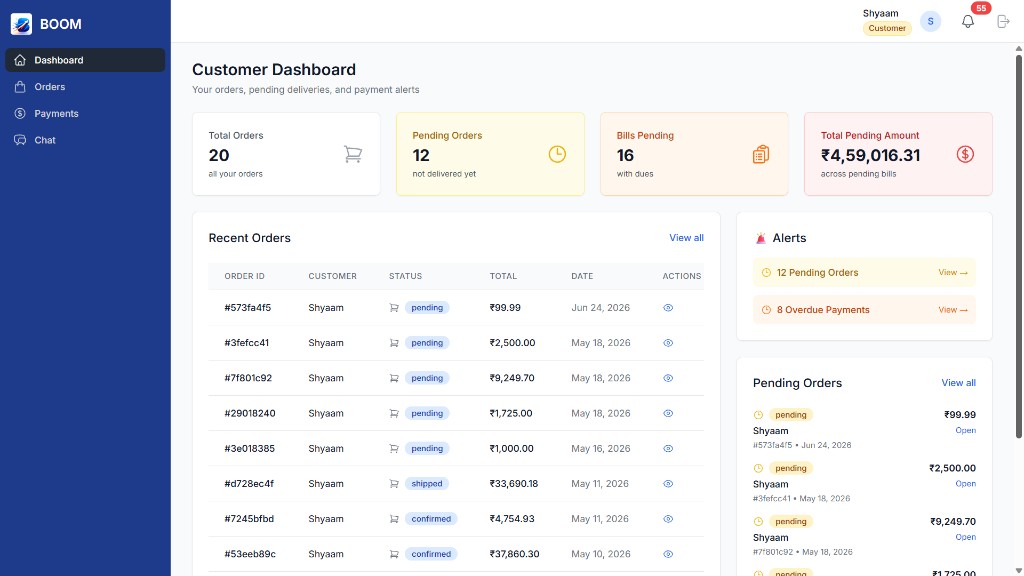
Real screens from BOOM. Workflows are adapted to how your business runs during scoping.
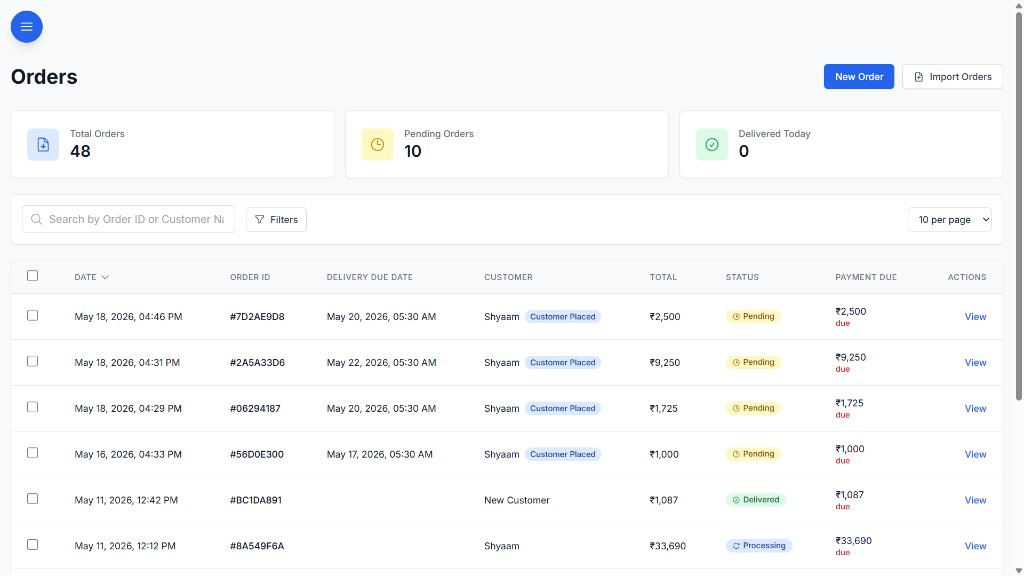
Every order — whether it came from WhatsApp, a call or a salesman — gets one record with its status, invoice number and what is still due on it. Nothing depends on scrolling back through a chat.
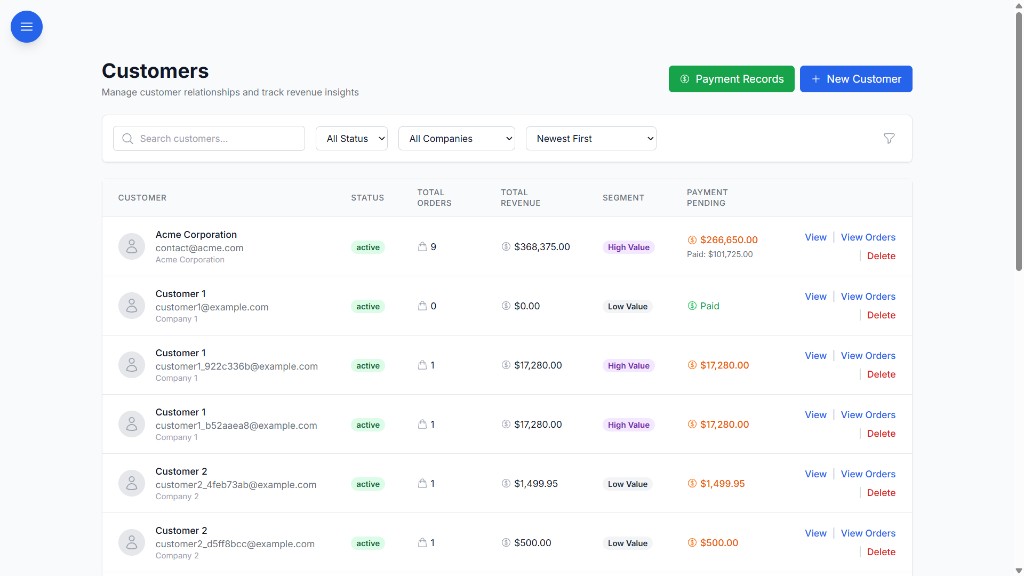
Each customer record carries their order history, what they’ve paid and what they still owe. Before the next consignment goes out, anyone with access can see where that party stands.
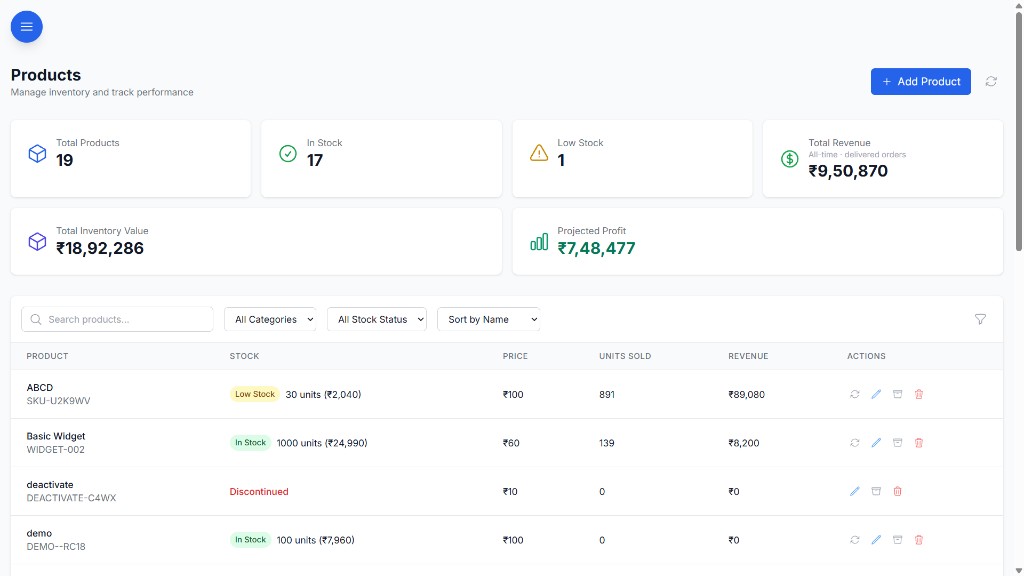
Stock moves as orders and purchases move, so sales quotes from the same number the godown sees. Low stock shows up on the dashboard while there’s still time to reorder.
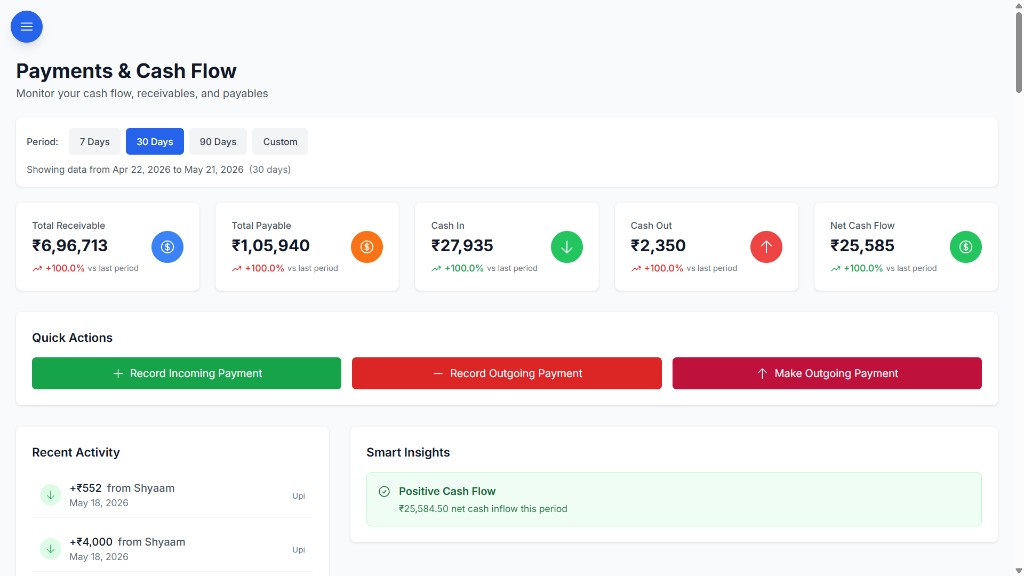
Purchases, supplier bills and pending amounts sit against each supplier, linked to the stock they brought in. Receivables and payables are visible in one place, each traced back to the order or purchase behind it.
In the full BOOM edition, each retailer or dealer gets a login to see their own orders, bills, pending dues and payment history — and pay from the same screen. They see their account and nothing else.
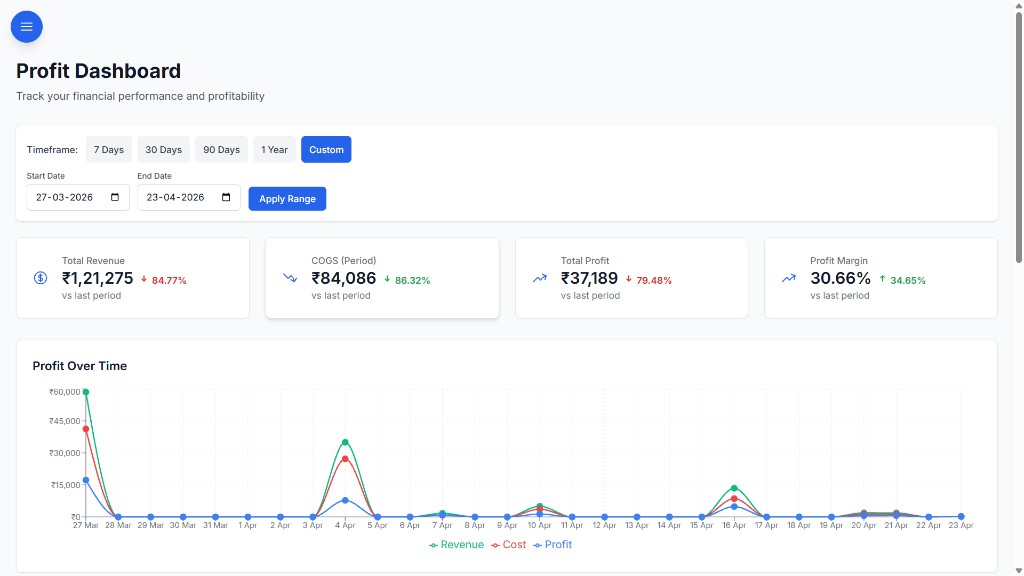
Revenue, cost of goods and margin are calculated from the orders and purchases already in BOOM. See which lines earn, which ones don’t, and price accordingly.
Sales, godown, purchase and accounts all work the same records, each seeing what their role allows. Six roles — Admin, Manager, Staff, Viewer, Customer, Supplier — and 40+ permission keys decide who can open what.
No per-seat fees, so adding a salesman or a godown supervisor adds nothing to the software bill.
Most distributors keep their accounting software for statutory work and run the operation in BOOM.
BOOM is a self-hosted operations platform built for wholesalers and distributors: orders and billing, live stock with low-stock alerts, purchases, party-wise customer dues, supplier payables, payments and profit per product. It is sold as a one-time license and customized to your workflow during scoping.
Yes. Customer dues and partial payments are recorded against each order, so what each party owes you is visible per customer. Supplier bills and pending payables are recorded the same way against each supplier.
Yes, in the full BOOM edition. The customer portal lets each retailer see their own orders, bills, pending dues and payment history, and pay through Razorpay, without seeing any other account.
How your godowns are represented is agreed during scoping, because every distributor splits stock differently. Tell us how many locations you run and how stock moves between them, and we will show you how BOOM maps to it before you commit.
No. BOOM runs the operation: orders, stock, purchases, dues, payments and profit. It does not file GST returns or generate e-invoices or e-way bills, so keep your accounting software for statutory work.
Tell us your daily order volume, number of parties, suppliers and godowns. We’ll walk through the workflows that map to it.