Implementation path

Your data stays on your servers. The move off Excel happens in phases.

BOOM installs on infrastructure you control — on-premise, a VPS, or a private cloud instance. From there we roll it out in three phases, so orders keep going out and suppliers keep getting paid while your team moves off spreadsheets.

Three phases, from Excel to live

Each phase ends in something you can check: an agreed scope, validated data in the system, and a team that knows its own screens.

1

Phase 1: Scope mapping

Before any configuration begins, we map your current operations to BOOM modules and define the implementation plan.

  • Identify required modules and feature scope
  • Define user roles and permission structure
  • Map approval chains and workflow dependencies
  • Document data sources for migration (Excel, legacy tools)
  • Agree on deployment architecture and timeline
2

Phase 2: Setup & migration

BOOM is configured on your infrastructure with your data, roles, and workflows — validated before anyone logs in.

  • Server setup and BOOM installation on your stack
  • Core entity configuration: products, customers, suppliers
  • Data import from spreadsheets or existing systems
  • Role and permission assignment per user
  • Process validation: test orders, stock updates, payments
3

Phase 3: Team enablement

Each role group gets focused onboarding so admins, managers, staff, and portal users are productive from day one.

  • Admin training: settings, users, permissions, backups
  • Manager onboarding: dashboards, analytics, approvals
  • Staff walkthrough: orders, inventory, tasks, daily workflows
  • Customer and supplier portal setup and communication
  • Go-live support and post-launch check-in

Self-hosted architecture

BOOM runs where you decide — your own server, a VPS, or a private cloud instance. The database, the backups and the access rules stay yours. No vendor holds the switch to your operations, and no pricing change can lock you out of your own history.

  • Deploy on Linux or Windows Server with standard web stack
  • Database under your control with backup policies you define
  • HTTPS and access controls configured to your security requirements
  • No dependency on external SaaS infrastructure for core operations
  • Mobile-ready PWA accessible from any device with a browser
Guide: keeping business data on your own servers → BOOM as a self-hosted ERP alternative →
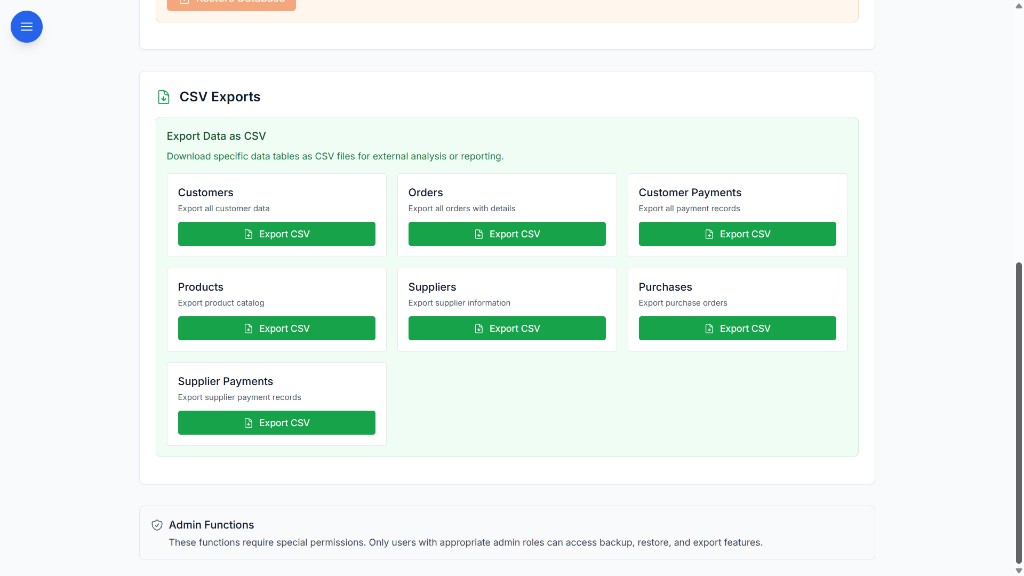
BOOM admin CSV exports for customers, orders, products, suppliers, and payments

Migration from spreadsheets & legacy tools

Most operations arrive with stock, orders and supplier records spread across Excel files. We import that data, reconcile it against what you already have, and let you run both in parallel until the numbers agree.

  • Product catalog import with SKU, category, and stock levels
  • Customer and supplier record migration
  • Historical order data import where available
  • Parallel running period optional during transition
  • Data validation reports before switching fully to BOOM
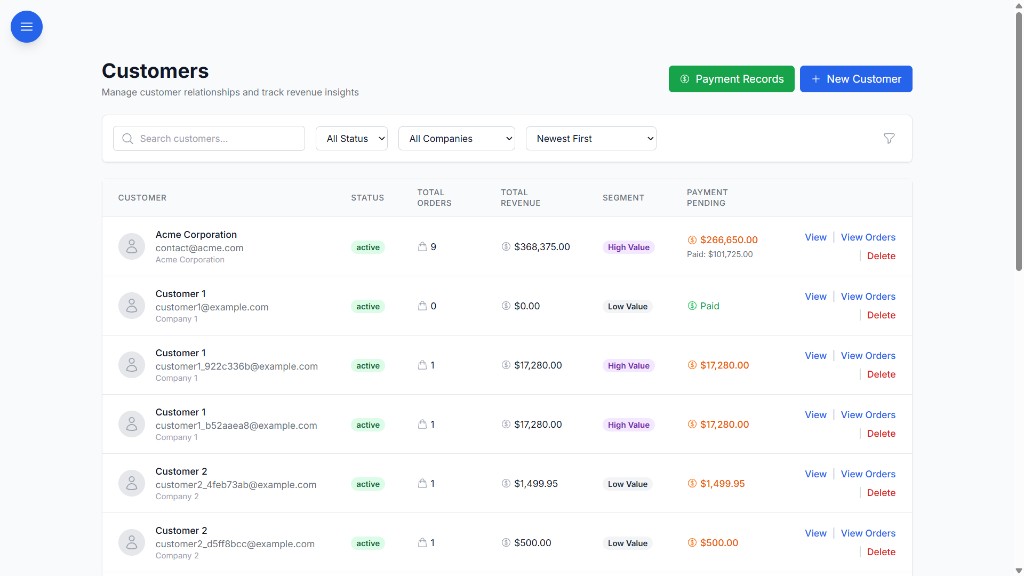
BOOM customers module with revenue tracking, segments, and payment status

What changes the week after go-live

Same workflows your team already runs — with fewer gaps, fewer status chases, and numbers everyone shares.

1Unified order-to-payment view
LiveStock & supplier tracking
ClearTask ownership & overdue alerts
Real-timeRevenue & margin dashboards

Deployment questions

Where does BOOM run?

On infrastructure you control: an on-premise server, a VPS or a private cloud instance, on Linux or Windows Server with a standard web stack. The database, backups and access rules stay with you.

How do we move from Excel to BOOM?

Product catalogs, customers, suppliers and historical orders are imported from your spreadsheets, validated, and optionally run in parallel with your existing files until the numbers agree.

Does BOOM depend on an external SaaS service?

No. Core operations have no dependency on external SaaS infrastructure. BOOM is a one-time license, so no vendor holds the switch to your operations.

BOOM deployment, in one paragraph

BOOM by YNIIDI is a self-hosted ERP alternative: it is installed on the customer’s own on-premise server, VPS or private cloud, with the database, backups and access policies under their control. Rollout runs in three phases — scope mapping, setup and data migration from Excel or legacy tools, and role-based team enablement with go-live support. It is sold as a one-time license, and access is governed by role-based permissions.

Plan your rollout

Tell us what you run today — tools, order volume, team size — and we’ll map a phased rollout to it.

Start implementation discussion